In Browser
Keyman web
Swanalekha is available to use online from keymanweb website.
Swanalekha JavaScript version
Type Malayalam with English letters: amma → അമ്മ. If the last letter is not correct, press Tab one or more times to see other letters: ka → ക, ഗ, ഖ, ഘ.
Keyboard shortcut: Ctrl+Shift+M
Usage
To use this transliteration scheme in your webpage, include the following line your html pages.
<script src="https://swanalekha.smc.org.in/js/swanalekha.umd.js"></script>
Then bind swanalekha to textareas and input fields. Example:
new Swanalekha( document.getElementById( 'id-of-input-field' ) );By default, the swanalekha input method is not enabled. It is enabled when users press Ctrl+Shift+M in the input field. If you want the input method enabled by default, pass it as an option.
new Swanalekha( document.getElementById( 'id-of-input-field' ), {
enabled:true
} );
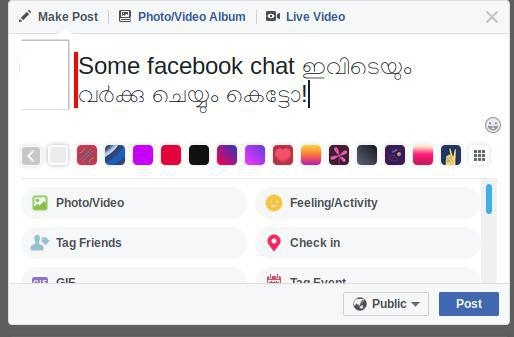
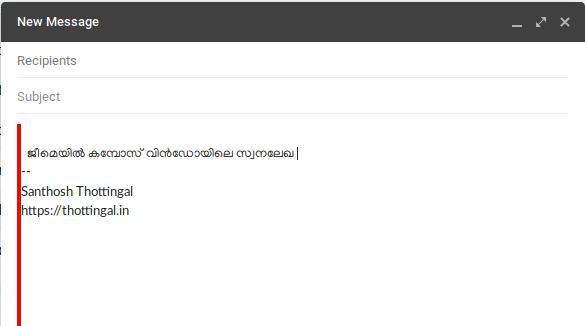
Once enabled, the input field will have a class swanalekha. This class can be used for providing any kind of visual indication that input method is enabled. This page uses the following style to indicate swanalekha is enabled.
.swanalekha { border-left: 3px solid #cc0000; }
Browser extensions
WARNING
Not actively maintained.
Swanalekha is available as browser extension for Firefox and Chrome

NPM Package
Swanalekha is available as a javascript library at NPM.
For a Vue based application using Swanalekha, see this example.